
















Choose a little wonder
A picture-only grid invites children to pick what catches their eye. No reading needed to start exploring.
THE First Words COLLECTION Ages 1–5
LumiNest’s first words apps help children ages 1–5 explore everyday vocabulary on iPhone and iPad. Real videos and a warm, friendly voice turn familiar things into little discoveries.
Free words to explore. One-time unlocks.
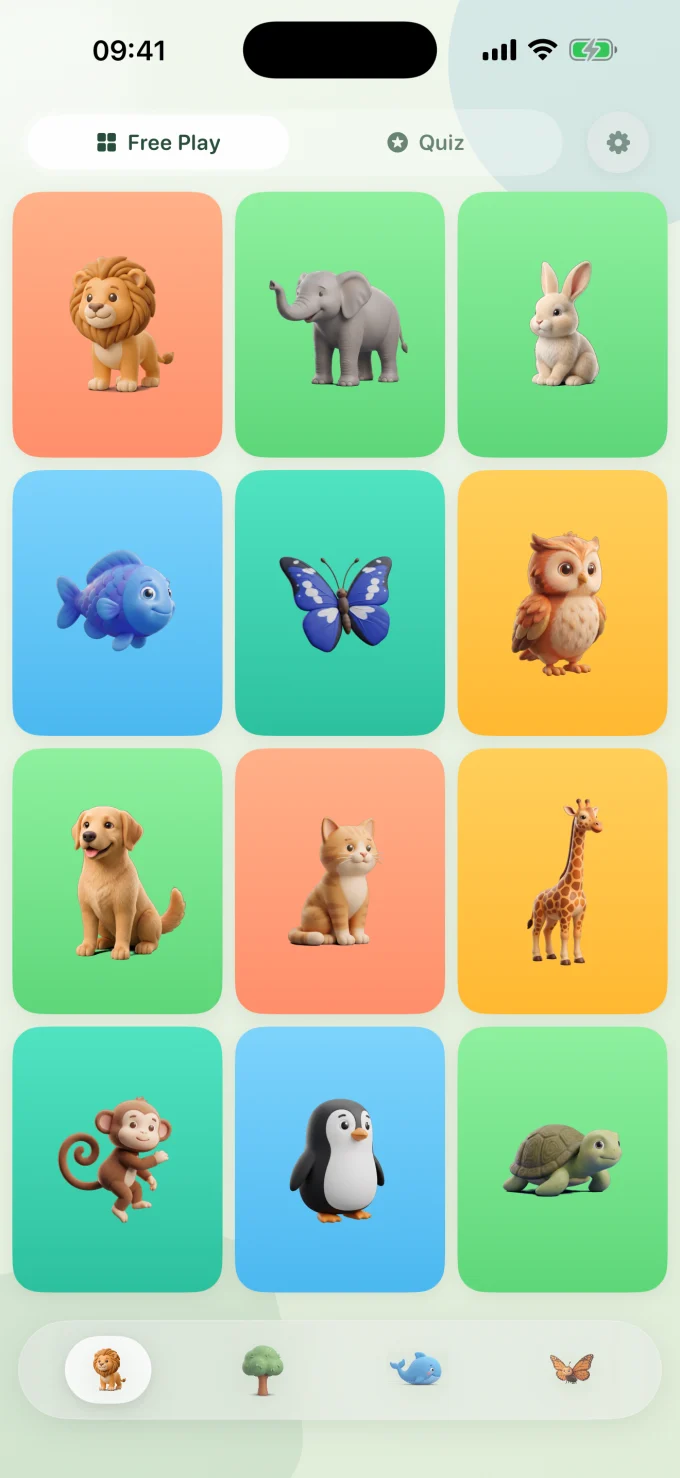
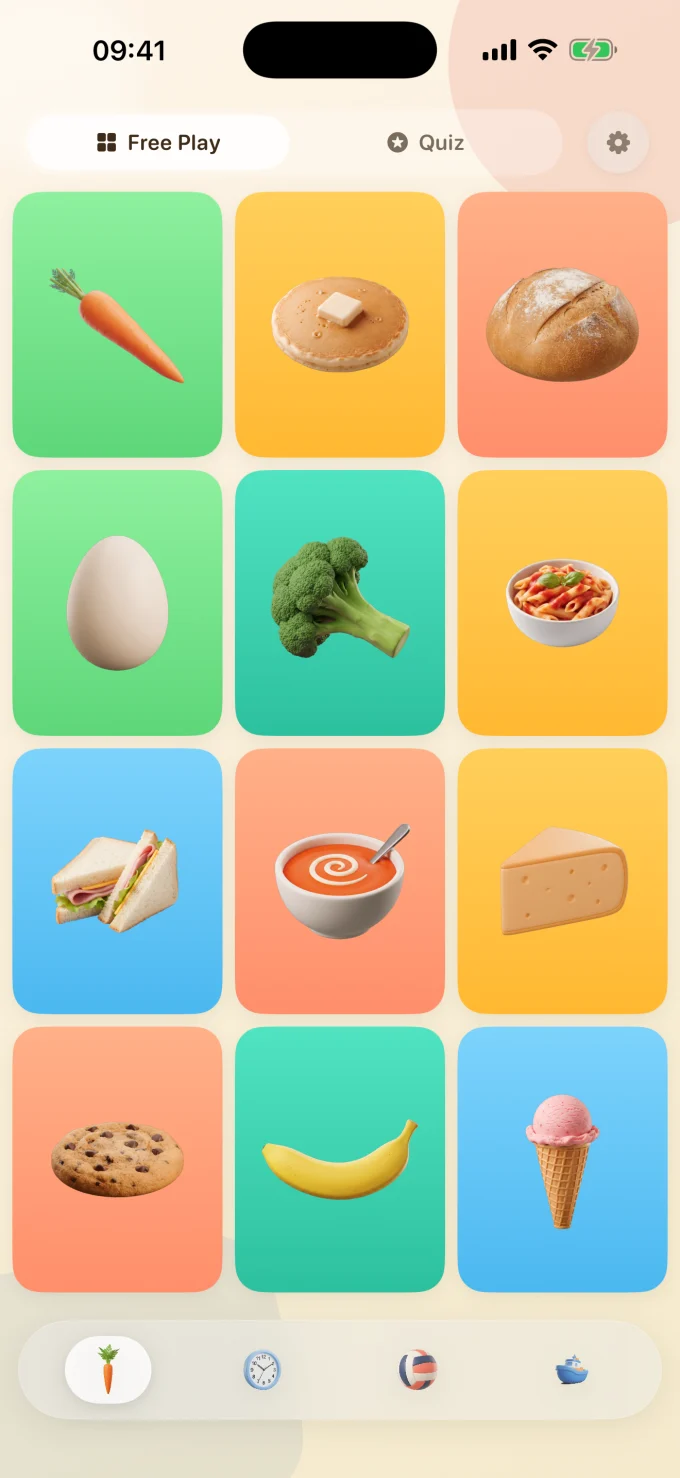
A LITTLE TAP. A WHOLE NEW THING.
Simple enough for little hands.
Plenty to come back to.
A picture-only grid invites children to pick what catches their eye. No reading needed to start exploring.
An animal moves. A vehicle goes by. Real videos show familiar words in different scenes, with something new to notice each time.
A friendly voice names what they see. Tap a favorite again, revisit a discovery, or find something new.
TWO LANGUAGES. ONE LITTLE WORLD.
Choose any two of 15 languages. Hear them in turn or back to back—the words from home, and the ones they are discovering next.
Pick your pairing in parent settings.
AS THEIR WORLD GETS BIGGER
Keep things short for first words. Add more detail when they’re ready to listen a little longer.
READY FOR A LITTLE DISCOVERY?
Try free words in each app.
A one-time purchase unlocks more.
No vocabulary subscriptions.
48 words · 144 video scenes
48 words · 144 video scenes
MADE FOR EVERYDAY FAMILY LIFE
Videos and narration come with the app, so familiar favourites work offline. You only need a connection to download the app, make a purchase or restore access.
No ads, no account needed, and settings and purchases behind the parent gate. Hold the gear for three seconds to choose what suits your family.
Vocabulary full unlocks support Apple Family Sharing. Family members can restore eligible purchases using their family group’s Apple Accounts.
THE THINKING BEHIND THE PLAY
Research on early learning informs our design choices. These studies offer useful principles; they do not measure LumiNest’s learning outcomes.
Studies of early word learning explore how children connect words and things across repeated encounters. Our varied video scenes give families more than one way to notice the same word.
Smith & Yu, 2008Learning research highlights active, meaningful and shared experiences. Choose a picture together, name what you see, then look for it in the world around you.
Hirsh-Pasek et al., 2015KIND WORDS FROM GROWN-UPS
Parent feedback on
our vocabulary apps.
"My daughter asks for 'the animals' every morning. She learned 'elephant' and 'butterfly' in the first week -and she's only 18 months."
— Marieke Jansen
"Finally screen time I don't feel guilty about. No chaos, no ads, no manipulative design. Just calm videos and a warm voice."
— Katharina W.
"We use it in Dutch at home and English at grandma's. Switching languages is so simple. Both kids love the real animal videos."
— Anouk de Vries
"My son is obsessed with the vehicles app. The only thing I'd change is adding a way to favorite specific videos -he wants to watch the fire truck on repeat."
— Emma S.
"As a speech therapist, I recommend this to parents all the time. The narration modes are exactly right -short labels for early learners, full sentences for kids who are ready."
— Fleur Bakker
The vocabulary collection is designed for ages 1–5. Short voiceover and free exploration suit the youngest learners; longer narration gives older children more to listen to.
Yes. Choose any two of 15 languages in parent settings to hear words in both. You can change your pairing as often as you like.
Yes. Each vocabulary app has free words to keep, plus a free 7-day trial of all its words, videos and languages. The trial does not turn into a subscription. Afterwards, a one-time full unlock keeps access to that app’s collection.
Try free words, then choose a one-time unlock for the vocabulary app. There is no subscription. Purchase access follows the app or bundle you bought. Visit Support for help restoring a purchase.
Press and hold the gear button for 3 seconds. You can change the languages and narration style and manage purchases there.
Our Privacy Policy explains how information is handled across the LumiNest apps. For a question about your app, contact [email protected].